Reports Dashboard
Actual features a robust report dashboard. It is here to allow each user to do deep analysis of their transaction data.
A default dashboard is provided to get you acquainted with the capabilities of the Actual reporting system. The dashboard is fully customizable, with many available reports and widgets. If one dashboard is not enough, you can make as many dashboards as you like, each with its own set of reports and widgets.
All of the available reports can be tuned with filters and live or static date ranges. This flexibility gives each user the tools they need to understand their finances in a very deep, very personal way.
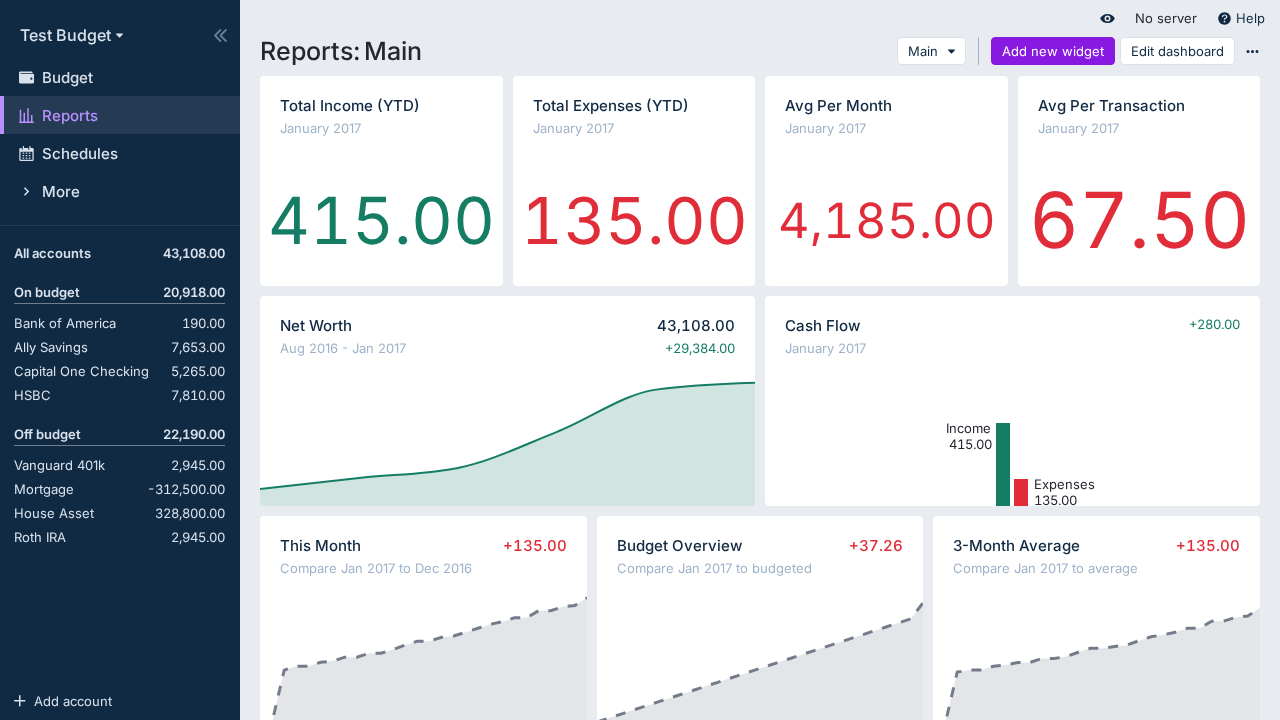
Currently, Actual comes with the following built-in widgets and reports:
- Cash Flow graph
- Net Worth graph
- Spending Analysis report
- Summary card
- Calendar card
- Text widget
- Custom Reports
The following are available as experimental features:
Cash Flow Graph
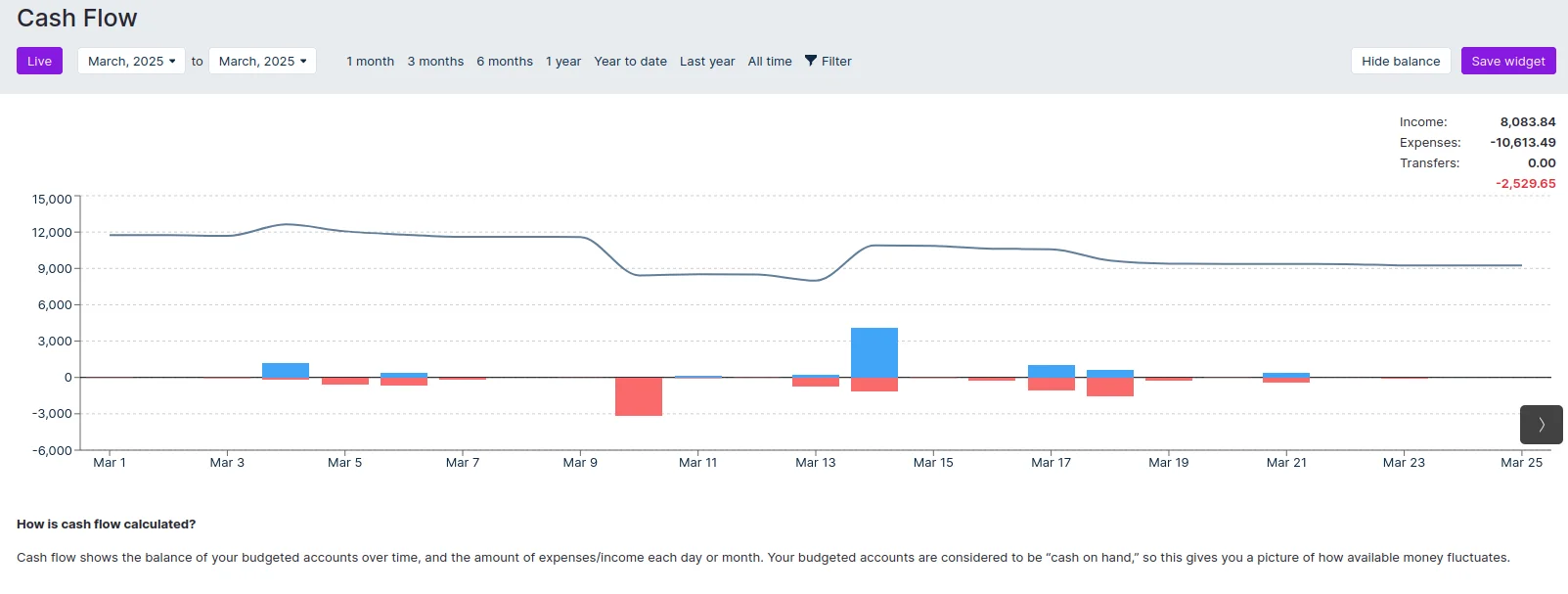
Cash flow shows your spending over time. It only looks at budgeted accounts and shows their balance over time, and includes separate income and expense visualizations. It's a quick way to see how your income and expenses affected your available money over time. Your budgeted accounts are considered to be "cash on hand," so this gives you a picture of how available money fluctuates.
Net Worth Graph
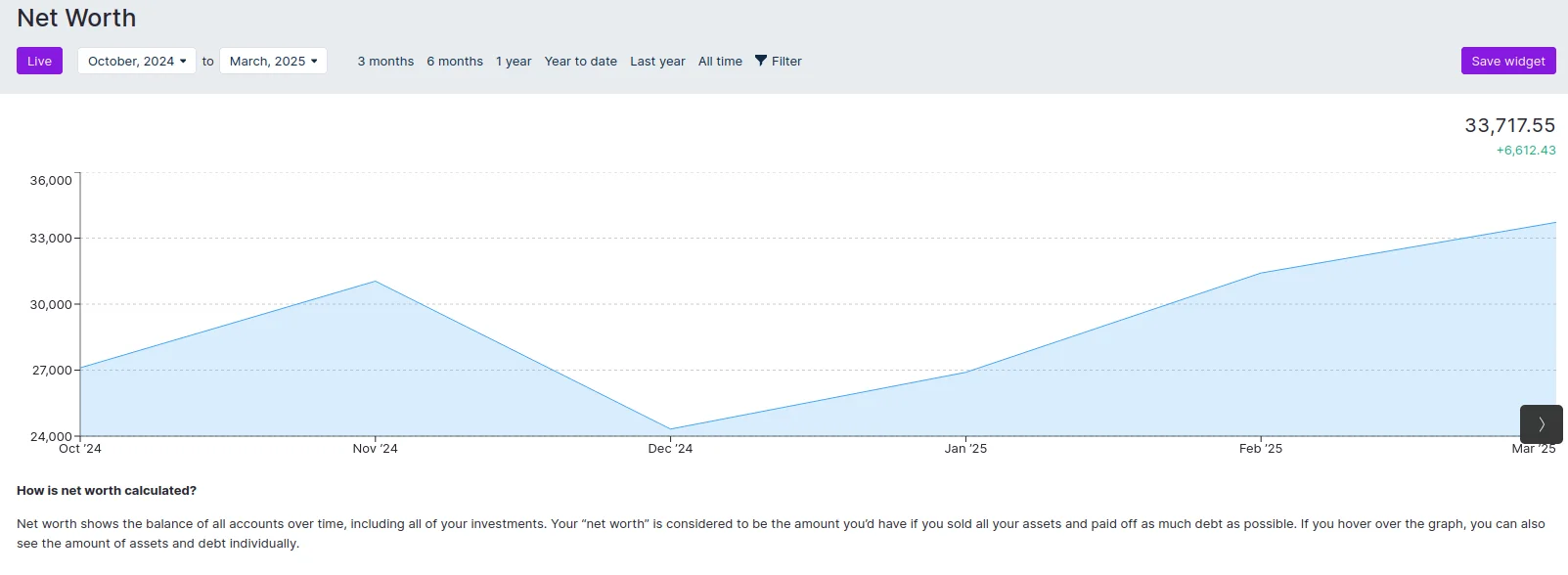
Net worth shows the balance of all accounts over time. Your net worth is all of your cash and assets minus any debts you owe. Net worth shows the balance of all accounts over time, including all of your investments. Your "net worth" is considered to be the amount you'd have if you sold all your assets and paid off as much debt as possible.
Spending Analysis
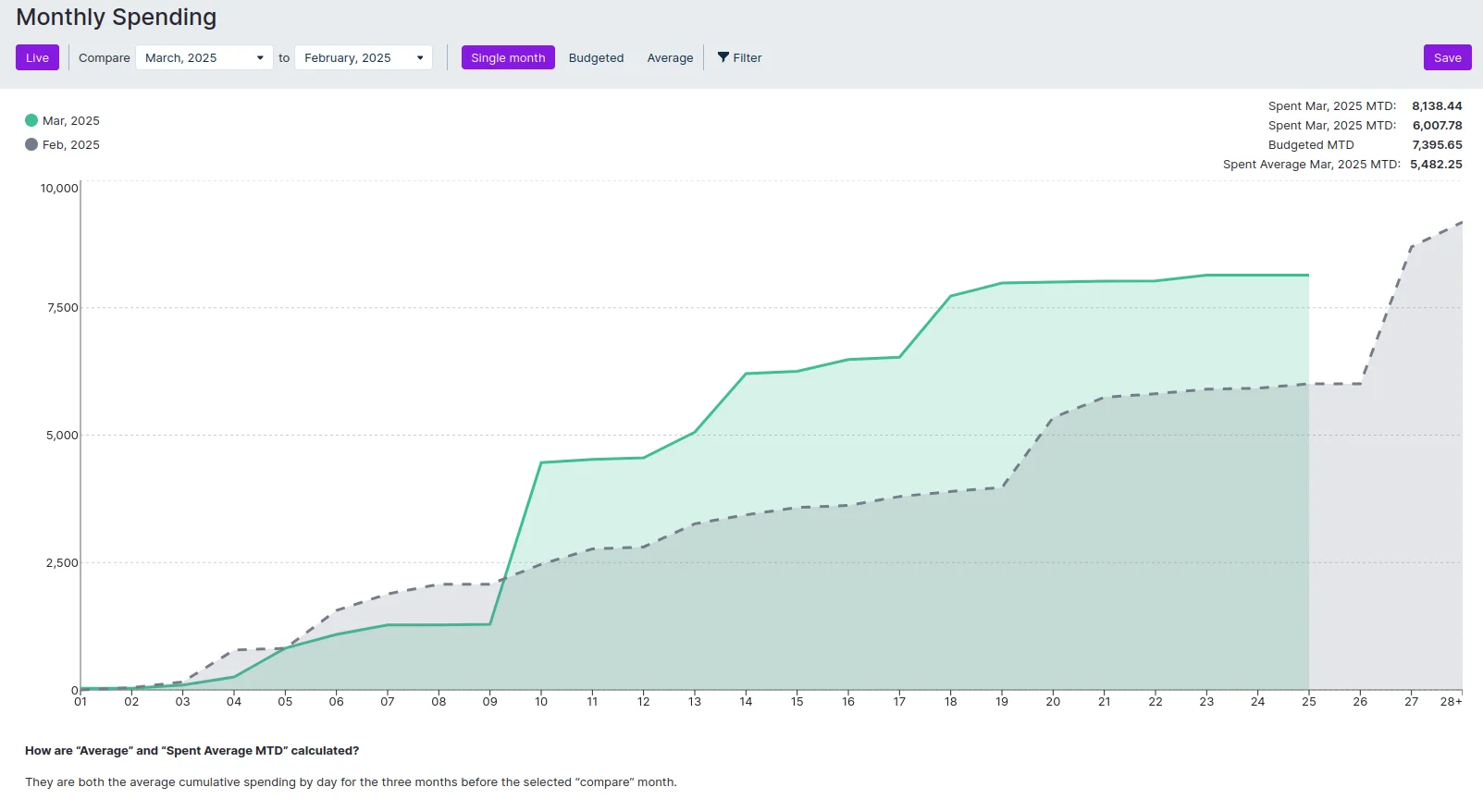
A spending analysis report tracks and compares expenses over a specified period, highlighting trends, fluctuations, and areas of overspending or savings.
Text Widget

Use Markdown to generate a text box to use as report headings and organizational labels.
Summary Card

The summary card provides an overview of all transactions within a selected time period, offering options such as total sum or monthly average.
Calendar Card
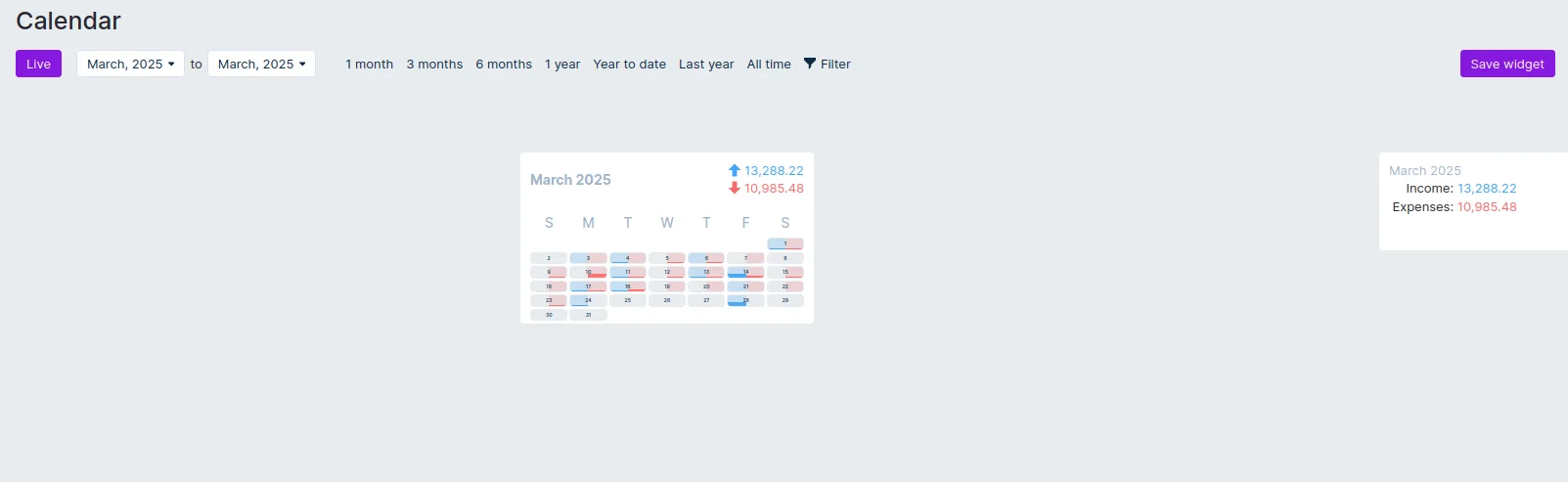
The calendar card displays daily income and expenses in a calendar format for a specified time period.